

[Windows Software] WP Link Rescue Desktop 1.0.1 — Secure WordPress Link Repair and XFS Publishing
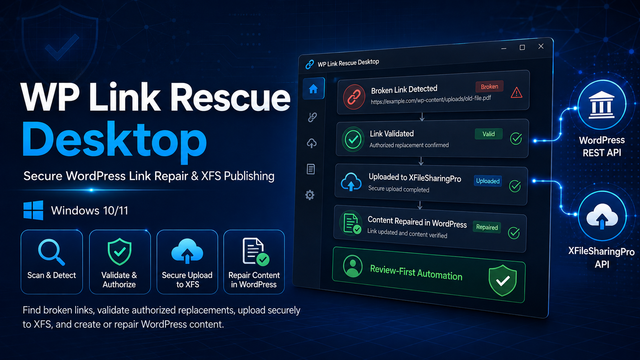
WP Link Rescue Desktop is a security-focused Windows application for finding and repairing broken image and download links in WordPress.
It can scan WordPress posts and pages, identify broken links, search for or manually accept replacement candidates, securely validate downloaded files, upload approved files through the official XFileSharingPro API, and replace selected WordPress URLs after preview and approval.
The application also supports discovering authorized content from configured source websites, extracting and sanitizing metadata, processing thumbnails, uploading files to XFileSharingPro, and creating new WordPress drafts or posts according to administrator-defined policies.
Key Features
• Multiple WordPress site profiles
• Official WordPress REST API integration
• Secure Application Password authentication over HTTPS
• Broken image and download-link detection
• Manual candidate entry and optional Brave Search API support
• SSRF, DNS-rebinding, redirect, and private-address protection
• Quarantine-based file downloading
• MIME type, extension, magic-byte, image-integrity, and SHA-256 validation
• Optional Microsoft Defender malware scanning
• Explainable candidate scoring
• Official XFileSharingPro API uploads
• XFS file-code and canonical public-link verification
• Duplicate upload and duplicate post prevention
• Exact URL-occurrence replacement
• Before-and-after WordPress content preview
• Local backup, verification, and safe rollback
• Authorized source-profile discovery
• Secure description and thumbnail processing
• WordPress Media Library thumbnail uploads
• Editable and sanitized post templates
• Manual Review and Automatic Draft modes
• Restricted trusted-source Automatic Publish mode
• Persistent and resumable processing queues
• Windows Task Scheduler integration
• Headless worker and complete dry-run mode
• Structured logs, audit history, and scheduled-run history
• Windows CurrentUser secret protection
• Local SQLite database with versioned migrations
Safety Defaults
• Automatic existing-post replacement is disabled
• Automatic publishing is disabled
• Remote URL upload to XFS is disabled
• Manual candidate review is enabled
• The default processing limit is two completed file jobs per run and per day
• WordPress content is checked for concurrent changes before modification
• A complete local backup is created before every approved replacement
• Only selected URL occurrences are replaced
• Credentials are not stored in SQLite, configuration files, logs, or command-line arguments
System Requirements
• Windows 10 or Windows 11 x64
• An HTTPS-enabled WordPress website with REST API access
• A WordPress Application Password
• XFileSharingPro with the official API integration enabled
• Authorization to copy, store, and republish all processed content
The application is distributed as a self-contained .NET 10 package, so a separate .NET runtime installation is not required.
Version 1.0.1
This release fixes the WPF startup issue affecting the first-run wizard and improves binding safety across the Link Scanner, Candidate Review, Scheduling, Run History, and post-preview screens.
Download:
https://www.rarlink.com/plugins/item/wp-link-rescue-desktop
SHA-256
90468a20e60d80da853dc6dfbb0f6114ea4625b0ec8d2685d6bd8922fd50a50b
Important Notes
The current portable release is not digitally signed. Verify the SHA-256 checksum before running it.
WP Link Rescue Desktop does not bypass authentication, CAPTCHAs, anti-bot protection, paywalls, robots restrictions, DRM, or download protections. Process only files and content you are authorized to copy, store, and republish.


