


Just in case you wanted to do it, here is how:
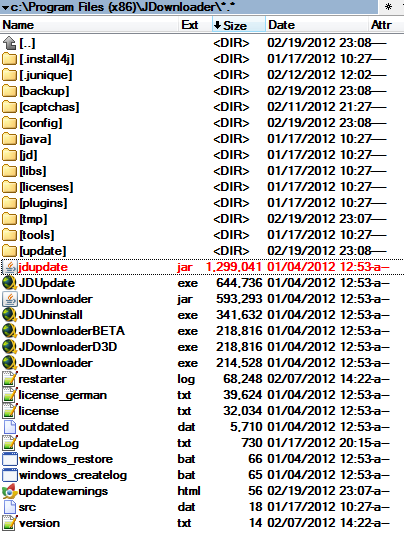
1. Locate your jDownloader folder
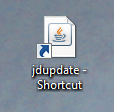
2. Make a shortcut on your desktop from file jdupdate.jar (Right click >> Send To >> Desktop (make shortcut) )
3. Right click on your shortcut that you've just made, and go to Properties
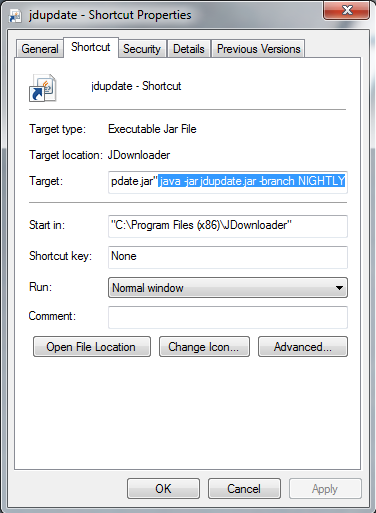
4. Add this on the end: java -jar jdupdate.jar -branch NIGHTLY (make sure there is space between characters in red, that I've selected, so you get this: "C:\Program Files (x86)\JDownloader\jdupdate.jar" java -jar jdupdate.jar -branch NIGHTLY
5. Click OK
6. Start using that icon you just modified.
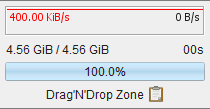
You will see process starting, and jDownloader will update, to latest nightly builds, and you will have some features and look you dont usually have in regular version, like Drag'N'Drop Zone:
log file, more addons, like downloading from feeds, etc...
jDownloader forever <3
1. Locate your jDownloader folder
2. Make a shortcut on your desktop from file jdupdate.jar (Right click >> Send To >> Desktop (make shortcut) )
3. Right click on your shortcut that you've just made, and go to Properties
4. Add this on the end: java -jar jdupdate.jar -branch NIGHTLY (make sure there is space between characters in red, that I've selected, so you get this: "C:\Program Files (x86)\JDownloader\jdupdate.jar" java -jar jdupdate.jar -branch NIGHTLY
5. Click OK
6. Start using that icon you just modified.
You will see process starting, and jDownloader will update, to latest nightly builds, and you will have some features and look you dont usually have in regular version, like Drag'N'Drop Zone:
log file, more addons, like downloading from feeds, etc...
jDownloader forever <3


