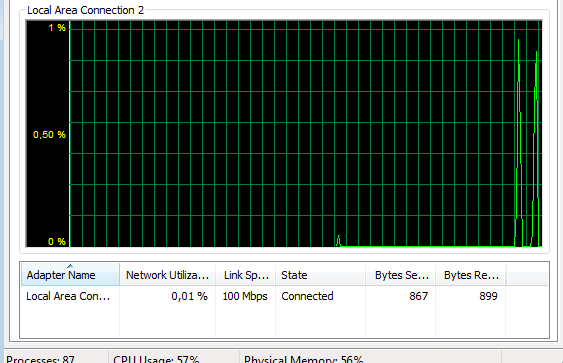
Im really puzzled about this and a bit worried.
It all started a few months ago. My internet subscription is 5mbps line and was maxing my download speed, usually getting 4+mbps on almost all filehost.
See the thing is, Im more of a downloader than an uploader, I usually leave my pc open 24/7 downloading games, tv shows, movies and stuff so Im always maxing my line. 2TB of HDD's were almost full now.
Two weeks ago I cannot even get to download anything as my speeds became horrible. Speeds were below 1mbps and if I'm lucky I'll be getting 1.2ish mbps. Thinking it was the file host problem I tried filehosts like WU, FSC, FS, MF even paid premium to RS and MU but my speeds remain below 1mbps.
Thought it was my router or pc that was causing it so tried a lot of stuff and formatted also but speed remains the same. Got my laptop and tried it from there but still speed was slow. Yesterday I downloaded drivers for my VGA card from NVIDIA and whoa I was again maxing my download speed. So now I know its not my pc, router or modem that was causing the problem.
The funny thing is I always use VPN when im doing "my uploading stuff" so just now I had an idea, could it be that my download speeds were being throttled down when I download specific filehosts? What if I tried downloading through VPN? since they wouldnt know that Im connecting to a filehost...
Well now Im connected to VPN (connected to the server nearest my country) and guess what my speed was around 3.8mbps to 4.6mbps, not as stable as before but 300% better without VPN.
Afaik using VPN just makes downloads/browsing go slower since my traffic will be routed to the vpn rather than going straight to the site right?
So what do you think is going on? Could my ISP been tracking on my online activities? I cant just really go there and ask them " hey why cut down on my speed when im downloading MW3?"
IDM Speed Using VPN

Here's when Im not using VPN

It all started a few months ago. My internet subscription is 5mbps line and was maxing my download speed, usually getting 4+mbps on almost all filehost.
See the thing is, Im more of a downloader than an uploader, I usually leave my pc open 24/7 downloading games, tv shows, movies and stuff so Im always maxing my line. 2TB of HDD's were almost full now.
Two weeks ago I cannot even get to download anything as my speeds became horrible. Speeds were below 1mbps and if I'm lucky I'll be getting 1.2ish mbps. Thinking it was the file host problem I tried filehosts like WU, FSC, FS, MF even paid premium to RS and MU but my speeds remain below 1mbps.
Thought it was my router or pc that was causing it so tried a lot of stuff and formatted also but speed remains the same. Got my laptop and tried it from there but still speed was slow. Yesterday I downloaded drivers for my VGA card from NVIDIA and whoa I was again maxing my download speed. So now I know its not my pc, router or modem that was causing the problem.
The funny thing is I always use VPN when im doing "my uploading stuff" so just now I had an idea, could it be that my download speeds were being throttled down when I download specific filehosts? What if I tried downloading through VPN? since they wouldnt know that Im connecting to a filehost...
Well now Im connected to VPN (connected to the server nearest my country) and guess what my speed was around 3.8mbps to 4.6mbps, not as stable as before but 300% better without VPN.
Afaik using VPN just makes downloads/browsing go slower since my traffic will be routed to the vpn rather than going straight to the site right?
So what do you think is going on? Could my ISP been tracking on my online activities? I cant just really go there and ask them " hey why cut down on my speed when im downloading MW3?"
IDM Speed Using VPN
Here's when Im not using VPN
Last edited: