

Ok after the style is uploaded to the correct folder on your server
ie: /forum/images etc.. OR whatever your readme file says which will come with the style when you download it!
now we want to log into our Admin CP
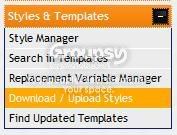
find this on the left hand side

then we want to expand this by clicking on the + sign
and then click on download/upload style
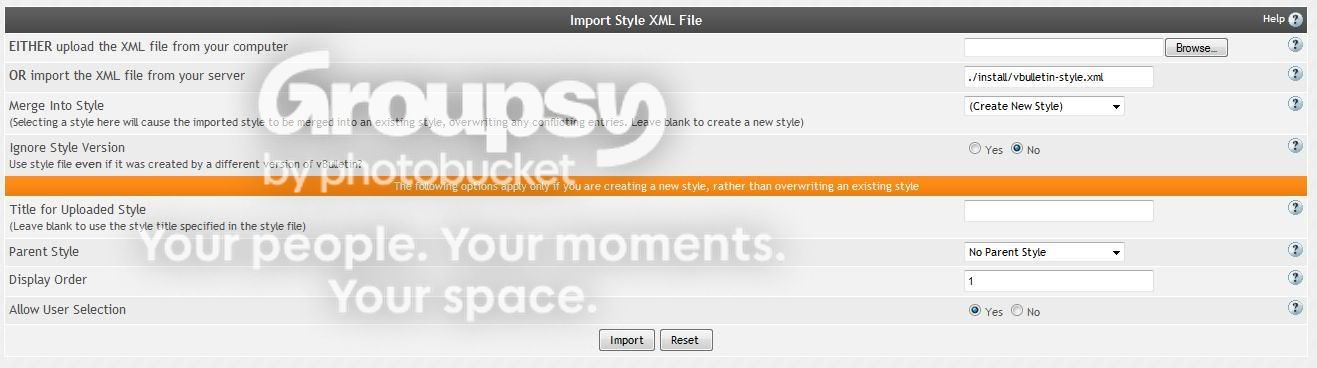
once your in you should have this screen
click on browse
find your folder
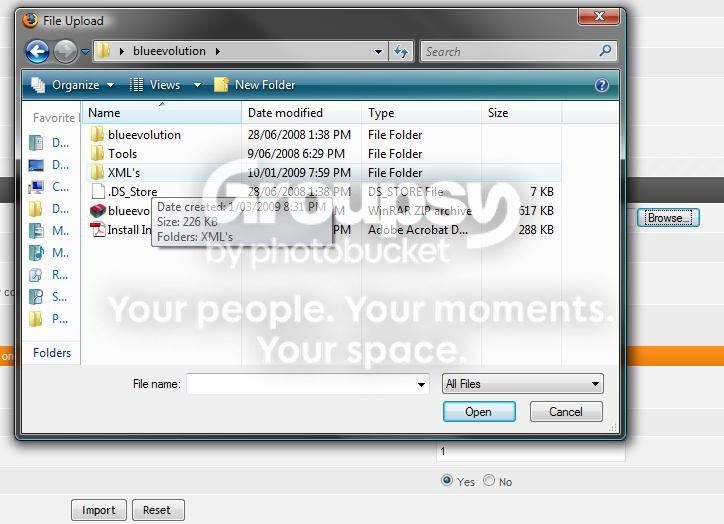
then find your XML
sometimes like in this case there is an option for fluid and fixed width varients
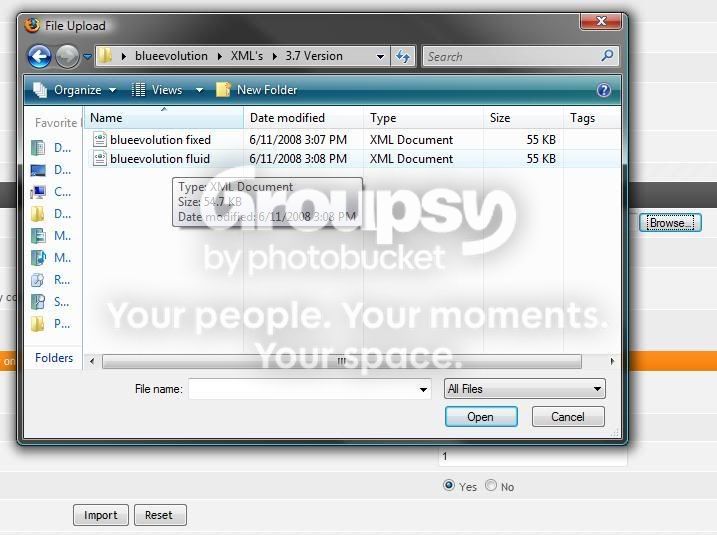
click open and then fill out the rest of the form
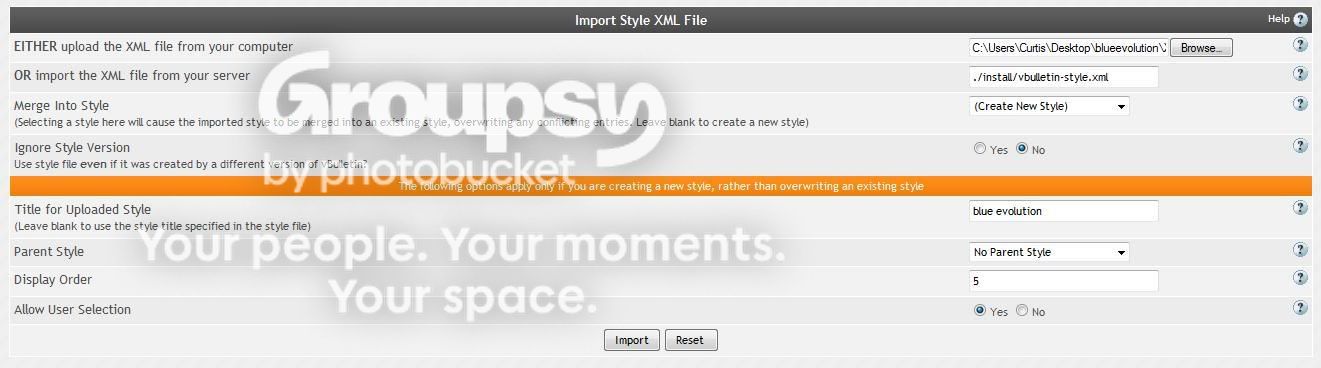
click import
and sometimes you will get this kind of error
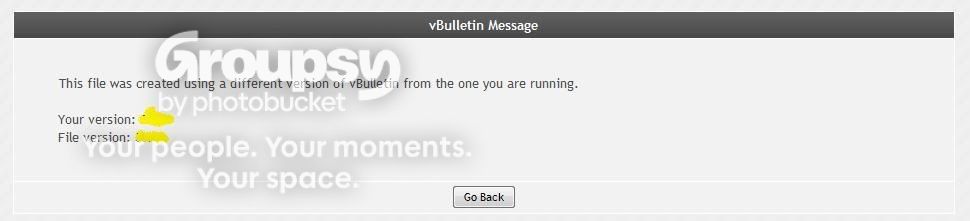
in this case we need to click back and tick yes for ignoring style version

click import again!

successs!!!!!!!!!
hit the thanks button if this helped you!
ie: /forum/images etc.. OR whatever your readme file says which will come with the style when you download it!
now we want to log into our Admin CP
find this on the left hand side
then we want to expand this by clicking on the + sign
and then click on download/upload style
once your in you should have this screen
click on browse
find your folder
then find your XML
sometimes like in this case there is an option for fluid and fixed width varients
click open and then fill out the rest of the form
click import
and sometimes you will get this kind of error
in this case we need to click back and tick yes for ignoring style version
click import again!
successs!!!!!!!!!
hit the thanks button if this helped you!


